Claude Code verification: test, fix, and prove the work

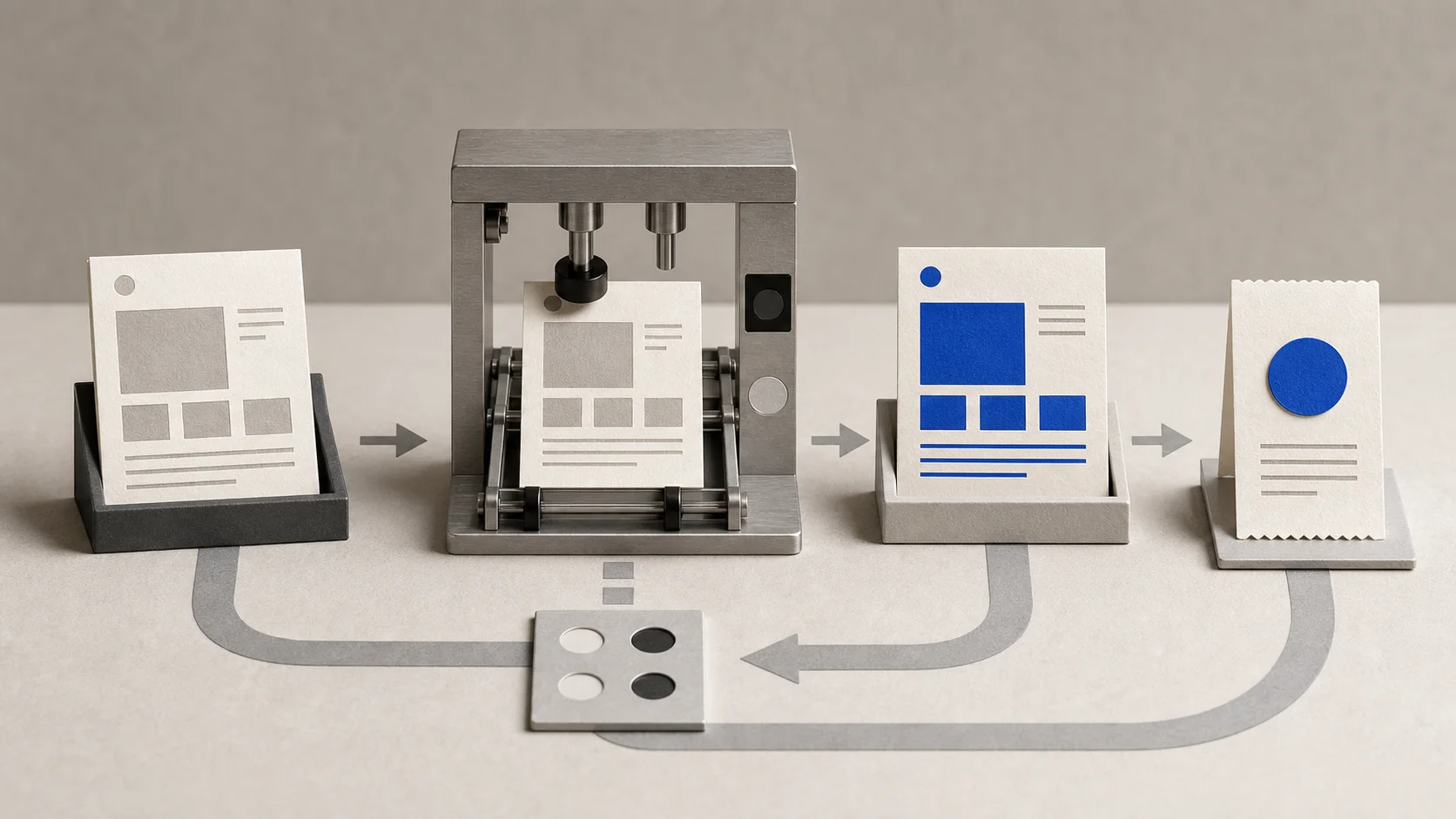
Learn how to make Claude Code verify its work with acceptance criteria, repeatable tests, a protected fixture, and an evidence receipt.
Claude Code can verify its work when you give it an observable definition of done and a check whose result it can read. Use the same loop every time: build, test, inspect the evidence, fix, then rerun the test.
“Double-check this” is not enough. A confident message is not evidence, and a passing test proves only what that test actually checks.
This is an independent, unofficial guide. claude/for is not affiliated with Anthropic. If you have not built anything yet, start with your first website in Claude Code, then return here to prove that it works.
Define done before Claude edits anything
Turn each requirement into three parts: the behavior, the check, and the expected result. “Make the form work” is vague. “Submitting reader@ shows an error, and the automated email test exits successfully” can be checked.
Anthropic's Claude Code best-practices guide recommends giving Claude a way to verify its work. Examples include tests, build exit codes, linters, fixture comparisons, and browser screenshots. Its agentic-loop explanation also uses the sequence of running tests, reading a failure, editing the relevant files, and running the tests again.
Write a short acceptance table before the prompt:
| Behavior | Check | Expected result |
|---|---|---|
| Valid email is accepted | automated email test | reader@example.com passes |
| Broken email is rejected | automated email test | reader@ fails validation |
| Privacy link works | local-link checker | every local target exists |
| Page behaves correctly | browser check | correct message appears for both inputs |
A small verification exercise you can reproduce
Use a disposable folder, not your production site. Create a basic newsletter page with index.html, an email validator in app.mjs, tests in tests/email.test.mjs, and a script that checks whether local HTML links point to real files.
Seed two faults deliberately:
- Make the validator use only
value.includes('@'), soreader@is wrongly accepted. - Link
index.htmltoprivacy.html, but do not create that file.
Use Node's built-in test runner for the email cases, then combine it with the link checker in an npm run verify script. This keeps the exercise small and avoids installing a testing framework.
This fixture was not tested with Claude Code for this article, so we do not report pass counts or results. It gives you a reproducible procedure. Your own terminal output is the evidence.
Run the build → test → fix → retest loop
Save the starting state
Run git status --short and git rev-parse HEAD. Commit the deliberately broken fixture so every later change is visible.
Capture the failure
Run npm run verify before asking for a repair. Save the failing email case, missing-link message, and non-zero exit result.
Ask for the smallest repair
Allow changes to app.mjs and creation of privacy.html. Tell Claude not to weaken, delete, or replace the tests and link checker.
Rerun the same checks
Run npm run verify again, then run the email test and link checker separately so one combined command cannot hide a failed step.
Inspect the diff
Use git diff to confirm the implementation changed and the protected acceptance files did not.
Record what remains
Mark browser behavior, accessibility, security, deployment, and visual quality as checked or still unverified.
Claude Code may ask permission before running a shell command. That is normal. Its permission documentation explains how rules can allow a specific command, such as a build, without granting broad command access. Approval means the command may run; it does not mean the result is correct.
Copy this verification prompt
Fix the two defects in this repository. Done means:
npm run verifyexits 0;reader@example.comis accepted;reader@,reader, an empty string, and whitespace are rejected; every local link inindex.htmlresolves to a real file; and no existing test or expected value is weakened or deleted.
First run the checks and show the failing evidence. Make the smallest fix, rerun the same checks, inspect
git diff, and give me a verification receipt listing commands, exit results, changed files, anything not tested, and any remaining human review.
The quality of that prompt comes from its context: named files, protected constraints, concrete examples, and observable success criteria. Claude Code context engineering shows how to assemble that evidence without burying the task in irrelevant files. The broader Claude Code guide collection covers the other pieces you may need before automating a larger project.
Ask for a verification receipt
Do not accept “all tests pass” as the whole report. Ask Claude to return a compact table you can compare with the original acceptance criteria:
| Criterion | Check run | Observed result | Status | Human review left |
|---|---|---|---|---|
| invalid email rejected | email test | paste your actual output | pass/fail | test more edge cases |
| privacy link resolves | link checker | paste your actual output | pass/fail | check page copy |
| protected tests unchanged | git diff or file hashes | paste your actual output | pass/fail | confirm scope |
| visible form flow | browser | describe what you observed | pass/fail/unverified | accessibility and mobile |
You can also use /goal for a separate evaluator that keeps checking a completion condition. Anthropic's goal documentation is clear about the limit: the evaluator judges evidence surfaced in the conversation; it does not independently run commands or read files. The receipt still needs real command output.
Add browser checks only when the browser is connected
For a website, automated checks do not tell you whether the error message is visible or the layout works at a narrow width. Claude Code with Chrome can interact with a page, inspect console errors, verify a user flow, and compare a UI with a design.
The integration has specific browser, extension, Claude Code, and account prerequisites. Check the current Claude Code with Chrome documentation before relying on it. Login pages and CAPTCHAs require you to take over, site permissions still apply, and a disconnected browser cannot provide visual evidence.
If Chrome is unavailable, write browser flow: unverified in the receipt. That is more useful than pretending a command-line test covered the screen.
What a green check does not prove
A passing run proves that the encoded assertions passed in that environment at that moment. It does not prove full email-standard compliance, accessibility, security, deliverability, every browser, the production deployment, or that the requirements were the right ones.
Claude can also produce weak tests that only cover the happy path. Review what each test asserts. Keep important fixtures and expected values out of the repair scope, and add a human check for taste, wording, risky actions, and business rules.
For a first session, Claude Code for non-developers explains the wider tool and its boundaries. Verification makes that tool more accountable; it does not turn model output into formal proof.
How do I make Claude Code check its own work?
Define observable acceptance criteria, name the exact command or browser action, capture a failure before the edit, and require Claude to rerun the same check afterward. Inspect the output and diff rather than accepting a completion message.
Can Claude Code run tests?
Yes, when the test runner is installed or available and permissions allow the command. Claude Code can run shell commands and read their output, but you should specify the relevant test command and expected result.
Can Claude Code test a website in a browser?
Yes, with a supported, connected browser integration such as Claude Code with Chrome. Browser verification depends on current prerequisites, site permissions, connection state, and human handling of logins or CAPTCHAs.
What is the difference between Plan Mode and verification?
Plan Mode is for researching and proposing an approach before source edits. Verification checks the observable result during and after implementation. A careful plan can define success criteria, but it does not replace running the checks.