Claude Code Agent Teams vs subagents: which to use

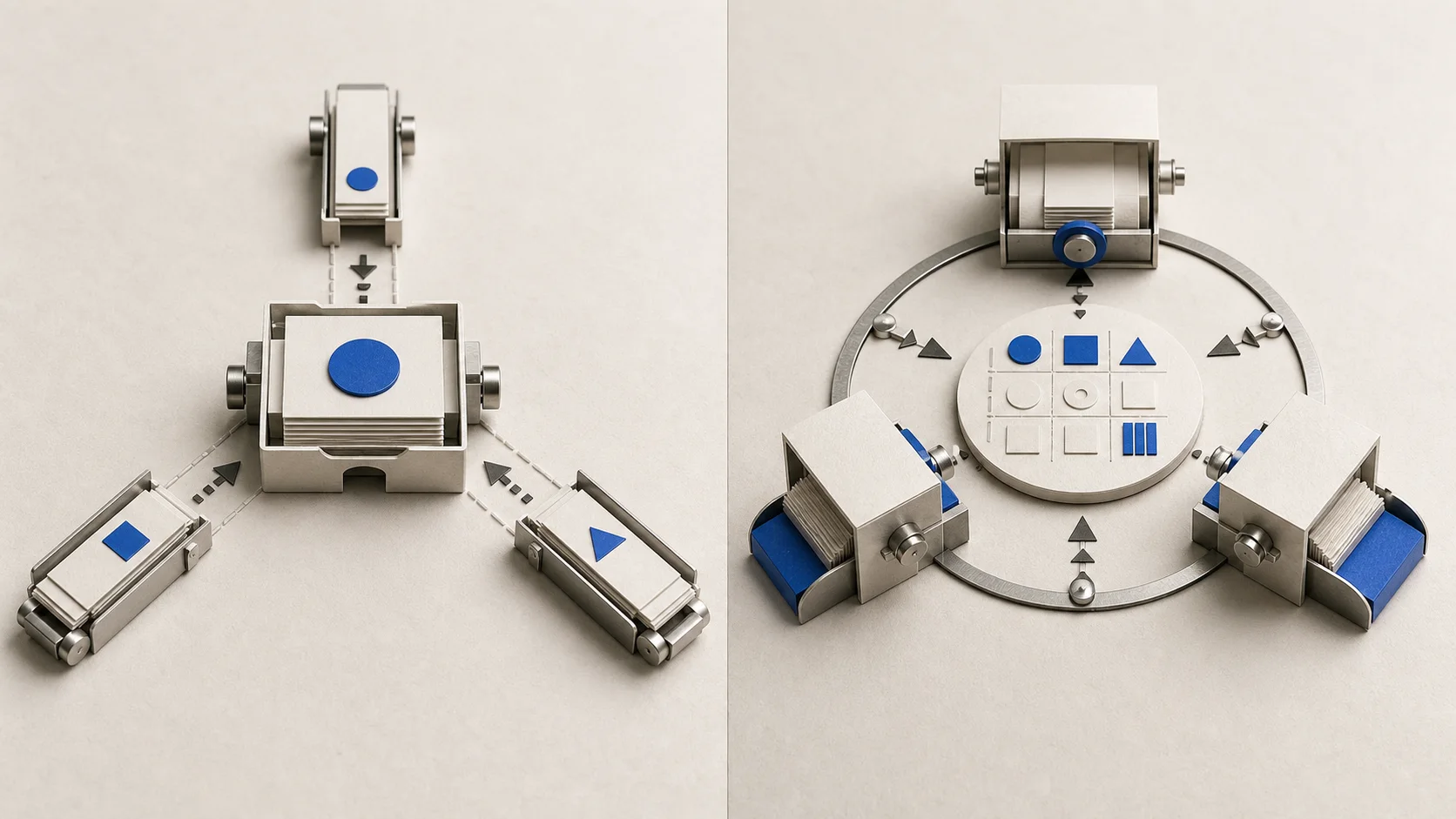
Use Claude Code subagents for independent work. Choose an experimental Agent Team only when workers must coordinate while the task is running.
Use Claude Code subagents when several workers can complete bounded jobs and return their findings to one caller. Use an Agent Team only when those workers must message one another, claim shared tasks, or coordinate dependencies while the work is still happening.
Agent Teams are experimental and disabled by default as of July 11, 2026. They add useful coordination, but also higher token use and more failure modes. If you are new to delegated work, start with Claude Code for non-developers before adding multiple workers.
This site is independent and is not affiliated with Anthropic. Product behavior below was checked against Anthropic's current documentation on July 11, 2026.
The 30-second decision matrix
| Decision | Main session | Subagents | Agent Team |
|---|---|---|---|
| Quick change | Best default | Usually needless | Poor fit |
| Independent research | Caller does all work | Strong fit | Usually excessive |
| Workers must challenge findings | Caller mediates | Caller synthesizes | Direct messages help |
| Shared queue and dependencies | Manual tracking | Caller orchestrates | Built-in task list |
| Same-file editing | Safest option | Use sequentially | Conflict risk |
| Context | One conversation | Separate worker context | Separate full sessions |
| Stability | Standard path | Established feature | Experimental |
| Usage | Baseline | Added worker usage | Significantly higher |
The practical rule is simple. Use one conversation if it can do the job. Use subagents if side work can return once. Test an Agent Team only if peer communication changes the work before it is finished.
What actually changes between the two
A subagent handles a focused assignment in its own context and reports the result to the calling session. Several subagents can investigate in parallel, but the caller normally receives, compares, and combines their findings. The official subagents documentation covers custom agents, tool restrictions, background work, and resumption.
An Agent Team has a fixed lead and separate teammate Claude Code instances. According to Anthropic's Agent Teams documentation, teammates share a task list and can send direct messages through a mailbox. They can claim unassigned work and unblock dependent tasks as earlier tasks finish.
Each teammate has a separate context window. It loads project context and its spawn prompt, not the lead's full conversation history. A shared task list coordinates ownership, but it does not prove that a task is correct or prevent two teammates from overwriting the same file.
The default in-process display works in any terminal. Split panes require tmux or iTerm2. Model behavior also differs from a copied session: teammates do not inherit the lead's current /model choice by default, so request a model when you spawn them or configure a default teammate model. Their model is fixed at spawn, while the lead's effort level carries over.
For the lower-overhead setup, follow the guide to create a focused read-only subagent. That page owns agent files and permissions. The comparison here owns the decision about whether workers need peer coordination.
When coordination earns the extra machinery
Agent Teams make sense when one worker's discovery must change another worker's active assignment. Examples include two researchers challenging conflicting sources, or separate module owners negotiating an interface before either implementation can finish.
Subagents are usually better when three reviewers can inspect the same draft independently and return three reports. The caller can deduplicate those reports once. Direct worker-to-worker messaging adds little if no finding changes another worker's method or scope.
Avoid a team when workers would edit the same file, wait through a mostly sequential task, or need constant human decisions. Separate ownership first. Then write a bounded spawn prompt and give every worker the same evidence using a small context pack.
Enable one small Agent Team safely
Agent Teams must currently be enabled with the experimental environment variable below. Add it to the env object in your Claude Code settings.json, then start a new session:
{
  "env": {
    "CLAUDE_CODE_EXPERIMENTAL_AGENT_TEAMS": "1"
  }
}
For a review-only experiment, put the lead in Plan permission mode before spawning teammates and confirm that mode is active. Teammates inherit the lead's permission mode at spawn, and prompt wording alone does not enforce read-only access. Then use two or three teammates, one clear owner per source, and an explicit stopping condition:
Keep the team in Plan permission mode and create three reviewers.
Give each reviewer one named evidence source and one review lens.
Create a final reconciliation task blocked on all three reviews.
Require evidence for every finding. Do not edit project files.
Wait for every reviewer before producing the final issue table.
Permission prompts bubble to the lead session for the human to approve. Another agent's message is not user consent. For later implementation work, requiring a teammate to make a plan is a different workflow gate: the lead can approve that plan, but it cannot approve a human tool-permission request on your behalf. Anthropic's permissions guide explains the enforced allow, ask, and deny rules.
A fair comparison you can reproduce
To decide whether coordination helps your work, freeze one synthetic sponsor media-kit draft with known defects. Include mismatched audience figures, stale source dates, an unsupported claim, a privacy-sensitive metric, a duplicated segment, and a broken link. Keep the answer key hidden from the workers.
Run two fresh conditions with the same Claude Code version, model, effort, permissions, files, role prompts, and output format:
Run three independent subagents
Assign metrics, privacy, and advertiser-review lenses. Each worker returns one evidence table to the caller.
Run three Agent Team teammates
Use the same roles, plus a reconciliation task blocked on all three reviews and one evidence-based peer challenge.
Score both conditions
Measure valid defects found, false positives, duplicates, unresolved contradictions, elapsed time, human interventions, and usage.
Repeat before concluding
Alternate the order and run each condition at least three times because model outputs vary.
We have not run and retained this comparison yet, so this guide reports no winner and no measured cost ratio. If both conditions find the same defects while the team uses more resources or needs more steering, subagents win for that task. One experiment still cannot establish a universal quality or cost rule.
Cost and limits that change the decision
Anthropic says Agent Teams use significantly more tokens because every teammate maintains a separate context window. Its cost guide gives an approximate 7x increase over standard sessions when teammates run in plan mode. That is one documented scenario, not a promise that every team costs exactly seven times more.
With API authentication, added token use affects metered spend directly. With a Pro or Max subscription, it can consume the included allowance faster rather than create a separate seven-times invoice. See Claude Code pricing before running long or repeated teams.
Current documented limits also matter:
- in-process teammates are not restored by
/resumeor/rewind; - task status can lag and leave dependent work blocked;
- one team is allowed per session, teams cannot nest, and the lead cannot transfer;
- shutdown can wait for an active request or tool call;
- teammates begin with the lead's permission mode;
- same-file edits can overwrite one another;
- split panes require tmux or iTerm2, while in-process mode works in any terminal.
The current Agent Teams page does not say the commercial Team plan is required. Anthropic's authentication documentation lists Pro, Max, Team, Enterprise, Console, and supported cloud providers, but it is not a feature-specific entitlement matrix. Do not infer plan access from the feature's name; check your account and organization policy.
Frequently asked questions
What is the difference between Claude Code Agent Teams and subagents?
Subagents complete bounded work in separate contexts and return results to a caller. Agent Teams add separate teammate sessions, a fixed lead, a shared task list, and direct teammate messages. Choose the team only when that peer coordination changes active work.
When should I use an Agent Team instead of subagents?
Use an Agent Team when workers must exchange evidence, negotiate ownership, or coordinate dependencies before they can finish. Use subagents when their independent outputs can be combined once by the caller.
How do I enable Agent Teams in Claude Code?
Set CLAUDE_CODE_EXPERIMENTAL_AGENT_TEAMS=1 in your shell environment or the env object of settings.json, then start a new session. The feature remains experimental and disabled by default as of this source check.
Do Claude Code Agent Teams use more tokens?
Yes. Each teammate has its own context window, so usage rises with team size and duration. Anthropic's approximate 7x figure applies specifically to standard-session comparisons when teammates run in plan mode, not to every Agent Team.
For most bounded reviews and research jobs, start with subagents. Move to an Agent Team only after you can point to a communication or dependency problem that the caller cannot handle cleanly.